

TL;DR
Amazon UK auto campaigns often waste money because they target too broadly and prioritise reach over profitability when left unchecked.
Irrelevant search terms and poor ASIN placements quietly drain the budget, especially with higher UK CPCs and tight margins.
Most sellers lose money by relying only on auto campaigns, skipping negative keywords, and reviewing search terms too late.
Regularly adding negative keywords and setting clear daily budget caps is the fastest way to regain control of spend.
Moving converting search terms from auto campaigns into manual campaigns improves ROI and long-term performance.
With the right structure, reviews, and automation support, auto campaigns can become a profitable keyword discovery tool instead of a budget leak.
If you have ever opened your ad reports and wondered where the money actually went, this article is for you. For many sellers, Amazon UK auto campaign wasting money is not a one-time issue; it is a recurring pattern inside Seller Central.
Auto campaigns are usually the first ads UK sellers launch. They feel simple, safe, and hands-off. But what starts as “letting Amazon learn” often turns into rising spend, flat sales, and no clear explanation why. You see clicks coming in, yet conversions stay stubbornly low.
With UK VAT, higher CPCs, and tight margins, even small inefficiencies become expensive very quickly. The real issue is not that auto campaigns do not work. It is that they work too broadly when left unchecked. Amazon optimises for data and reach, not for your profit. Without structure and regular review, auto campaigns quietly drain the budget instead of supporting growth.
In this guide, we break down why this happens and how UK sellers can turn auto campaigns into a controlled system that discovers profitable keywords rather than burning cash.
Why do auto campaigns waste money on the wrong clicks?
If you feel like Amazon UK auto campaigns wasting money is the story of your account, you are not imagining it. You launch an auto campaign hoping Amazon will “figure it out” for you. Instead, when you check the search term report, you see clicks coming from completely irrelevant searches.
You might sell kitchen gadgets, but your ads show up for random lifestyle terms or broad browsing keywords that never convert. Each click chips away at your budget, without bringing in real buyers. The frustration grows because it feels invisible. Amazon UK auto campaigns do not clearly show where your money is going day to day.
Spends rise, sales stay flat, and ACoS quietly creeps higher. Without clear Amazon PPC bidding strategies in place, Amazon prioritises reach over efficiency, which is costly in the UK market. For new Amazon UK sellers or brands in the scaling phase, this creates a lot of doubt.
You know ads are necessary, but it feels like you are feeding a system you cannot fully control. Auto campaigns can help discover keywords, but when left unchecked, they often become the biggest reason your ad budget burns without results.
Mistakes sellers make when trying to fix
When you look closely at underperforming accounts, the pattern is almost always the same. Most sellers are not doing anything “wrong” on purpose; they are just following what feels easy when selling on Amazon UK.
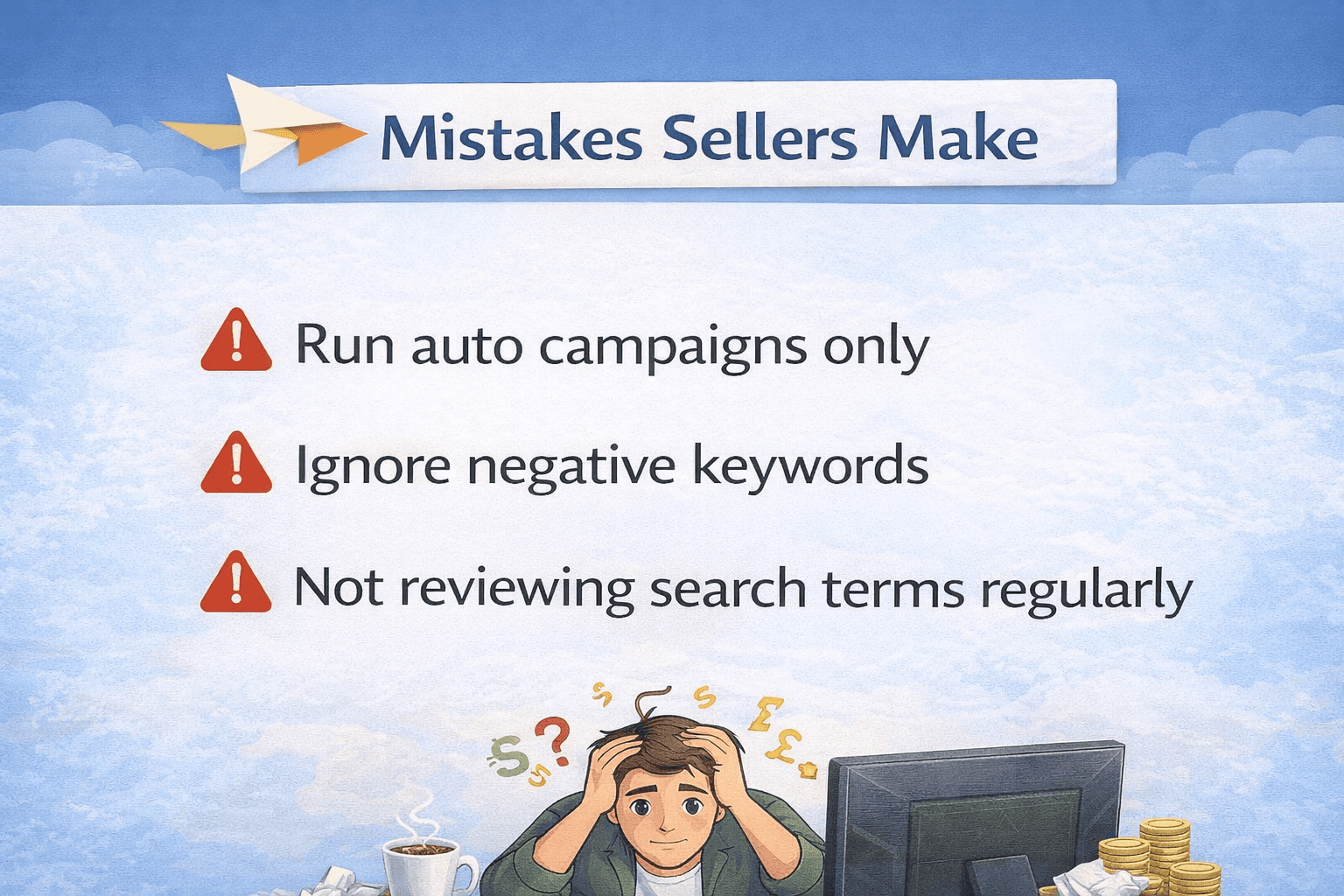
Run auto campaigns only: It is one of the fastest ways Amazon UK’s ad spend gets wasted. Amazon’s own data shows that auto campaigns cast a wide net by design. In UK accounts, it is common to see 30 to 50% of auto campaign spend coming from search terms that never convert. Without manual campaigns to guide intent, the algorithm prioritises reach, not efficiency.
Ignore negative keywords: Once Amazon finds a loosely related term, it will keep showing your ad for it unless you block it. In competitive UK categories, generic clicks often cost £0.60–£1.20 or more. Just one irrelevant keyword getting 10 clicks a day can burn £200–£300 a month without a single sale.
Not reviewing search terms regularly: It allows this waste to compound. Many UK sellers only check reports once a month, if at all. By then, Amazon had already “learned” the wrong signals and doubled down on poor traffic.
The result is predictable. High spend, low ROI, and rising ACoS. Auto campaigns are meant for discovery, but without negatives, structure, and weekly reviews, they quietly turn into a budget leak instead of a growth tool.
How do Amazon auto campaigns work in the UK?
Amazon auto campaigns UK are built to be broad by design. When you launch one, you are not choosing keywords or products yourself. Instead, Amazon decides where your ads appear based on your product listing, category signals, and shopper behaviour across the UK marketplace. On the search side, Amazon matches your product to search terms it believes are related.
For example, if you sell a blender, your ad may appear for searches like “smoothie maker” or “kitchen mixer.” These can be helpful discovery terms. But the same system can easily go too far. It is not uncommon for a blender ad to show up for broad browsing searches or even completely irrelevant terms like “jewellery,” simply because Amazon detects weak behavioural overlap.
Auto campaigns also include ASIN targeting. This means your ads can appear on competitor product pages or loosely related listings. In theory, this helps capture shoppers comparing options. In reality, Amazon auto campaigns UK often place ads on products with very different pricing, reviews, or brand loyalty. You pay for the click, but conversions remain low.
The important thing to understand is that this is a discovery-first system. Amazon starts to collect data quickly. That only works if you refine it. For UK sellers, where CPCs are higher and margins are tighter, this broad approach needs fine-tuning.
Negative keywords, regular search term reviews, and placement control turn auto campaigns into a learning tool. Without that control, they quietly keep spending on traffic that was never meant to convert.
How to optimise Amazon auto campaigns in the UK
Step 1: Add negative keywords
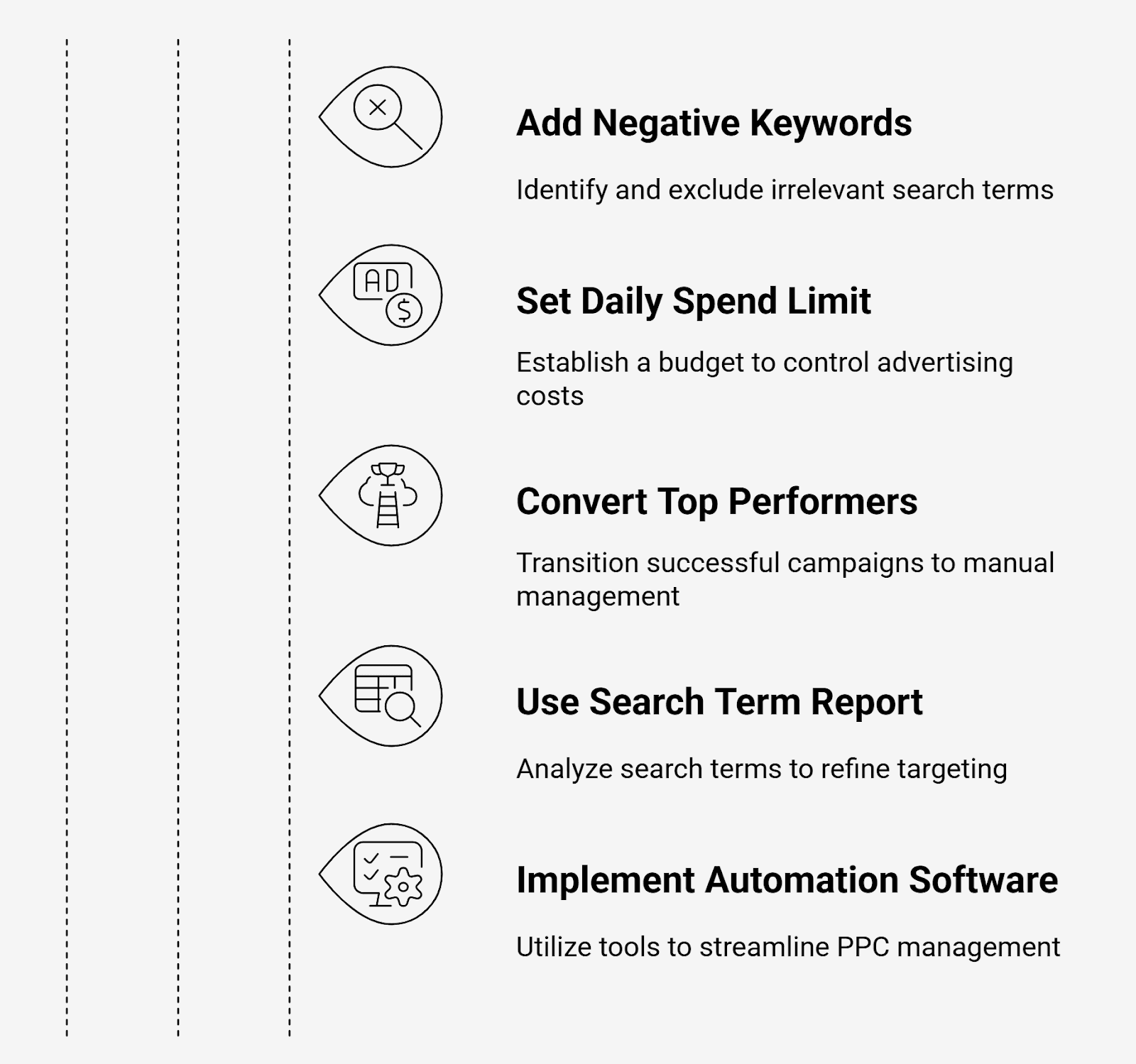
If your Amazon ads are burning money, this is the first place to fix it. In most UK accounts, wasted spend comes from search terms that should never have triggered your ad in the first place. Start by opening your search term report and sorting by spend.
Look for terms that clearly do not match buyer intent. These are usually different products, accessories, or research-type searches. For example, if you are selling a coffee maker, clicks from terms like “coffee beans,” “coffee powder,” or “coffee grinder” are almost always a waste.
This is where Amazon auto campaign negative keywords make a real difference. By adding these irrelevant terms as negatives, you tell Amazon to stop showing your ad for them. Once blocked, that budget is instantly redirected to more relevant traffic.
For UK sellers, this step is critical. CPCs are higher, and even a few bad clicks per day can quietly drain hundreds of pounds over a month. Checking search terms weekly and adding negatives is not optional; it is how you regain control and turn auto campaigns into a useful discovery tool instead of a budget leak.
Step 2: Set a clear daily spend limit
If your ads feel out of control, the problem is often not targeting; it is the budget. Many UK sellers leave auto campaigns with high daily budgets, assuming more spend means more data. In reality, this is how Amazon’s auto campaign wasting budget becomes a daily issue.
Budget caps are not about stopping ads. They are about slowing Amazon down while you learn. A sensible daily budget forces the system to prioritise higher-probability traffic instead of burning through low-intent clicks in the first few hours of the day.
Your daily budget should match your goal. If the campaign is for discovery, keep the budget modest and review results frequently. If your aim is sales, allocate more budget only after you see conversions and clean search terms. For most UK sellers, starting smaller protects cash flow while still collecting useful data.
Remember, UK CPCs add up fast. One aggressive budget can disappear by lunchtime. Budget caps give you breathing room, visibility, and control, so your auto campaigns work with you, not against you.
Step 3: Turn top performers into manual campaigns
Auto campaigns are meant to discover opportunities, not to scale them forever. Once you spot search terms that are actually converting, the smartest move is to pull them out and give them their own space in manual campaigns.
Check your search term report and look for keywords with consistent sales or strong conversion rates. These are your winners. Leaving them inside auto campaigns gives Amazon too much freedom. The same keyword might show up in weak placements or compete with irrelevant traffic, diluting performance.
By moving these terms into manual campaigns, you gain control. You choose the match type, set bids based on real performance, and align budgets with profitability. This is where UK sellers often see a clear improvement in ROI, especially in competitive categories.
Think of auto campaigns as research and manual campaigns as execution. When you separate the two, you stop guessing and start scaling with intent. This shift is what turns scattered data into predictable, profitable ad performance on Amazon UK.
Step 4: Use Amazon's search term report
If there is one report every seller should check weekly, this is it. For Amazon advertising UK sellers, the search term report is where wasted spend becomes visible.
Inside Seller Central, this report shows exactly what shoppers typed before clicking your ad. Not keywords you guessed, but real searches that cost you money. Sort the report by spend and look for terms with clicks but no sales. These are the silent budget killers, especially in competitive UK categories.
When you find a term that has been spent consistently without converting, add it to your negative keyword list. This single action can immediately reduce waste and protect future spending. Over time, the report also reveals patterns, words that convert, and words that never will.
UK CPCs rise quickly, so skipping this step even for a few weeks can be expensive. Regular search term reviews turn your ads from reactive to controlled. It is not about checking data; it is about making sure your budget works for sales, not curiosity clicks.
Step 5: Use PPC automation software
At some point, manual checks are not enough, especially when you are managing multiple SKUs and tight margins. This is where PPC automation makes a real difference for UK sellers dealing with Amazon UK auto campaigns, wasting money.
In-house tool developed by eStore Factory, BidBison, is built to handle the daily grind that causes most Amazon listing and PPC issues in the first place. Instead of reacting late, the system adjusts bids and budgets in real time. If a keyword starts overspending without returns, bids are pulled back.
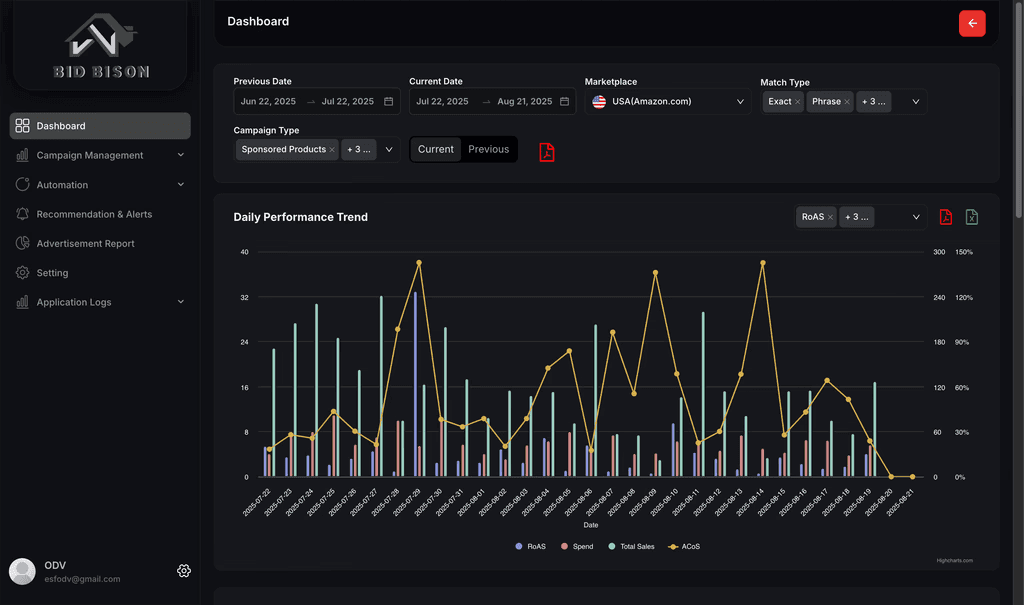
If something is converting, the budget is shifted intelligently so profitable traffic gets priority. What matters for UK sellers is visibility. BidBison gives you clear performance insights, not confusing dashboards. You can see what is working, what is wasting, and where to optimise next, without digging through reports every day. Automation does not replace strategy; it protects it. It keeps your campaigns clean, controlled, and focused on growth, not firefighting.
Turn auto campaigns into a profitable keyword finder
Stage | What changes | Result for UK sellers |
Auto campaigns before | Broad targeting, no control | Budget leaks with little return |
After optimisation | Negatives added, budgets capped | Spend stabilises, waste drops |
Keyword harvesting | Converting terms identified | Auto campaigns become a data source |
Manual shift | Winners moved to manual ads | Better ROI and control |
Real UK result | Budget reallocated to proven terms | 20% reduction in wasted spend |
The bottom line
Amazon UK auto campaigns wasting money doesn’t have to be your reality. The key is understanding how these campaigns work and taking control before your budget drains silently. By regularly reviewing search terms, adding negative keywords, setting sensible budget caps, and shifting winning terms into manual campaigns, you turn auto campaigns from a black hole into a smart discovery tool.
If you want expert support, working with an Amazon PPC consultant from eStore Factory can accelerate results by applying proven strategies and avoiding costly trial and error. Take action today, regain control of your ad spend, and let your campaigns work for you, not against you.






